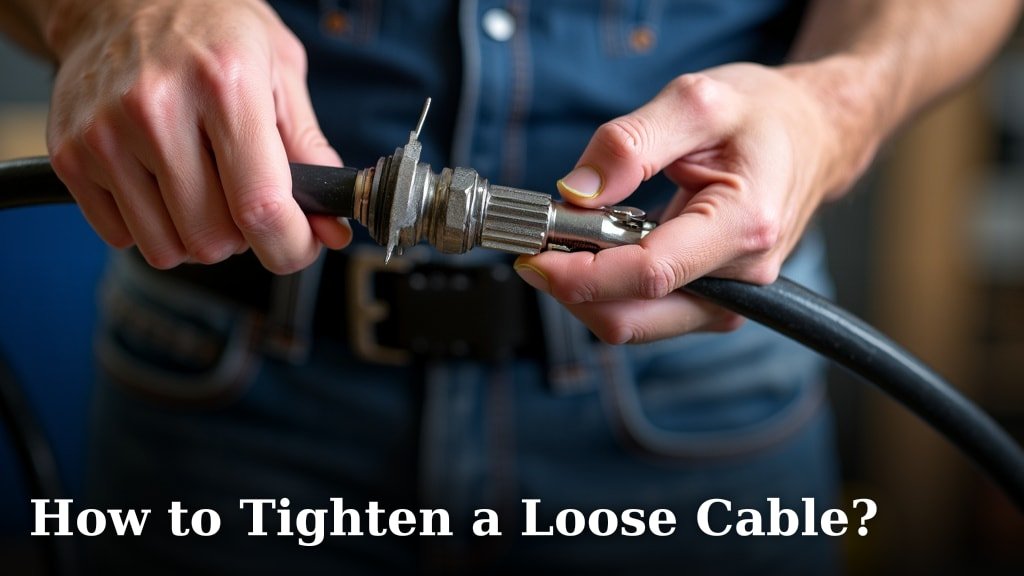
The easiest way to tighten a loose cable often depends on the cable type and its purpose. For many common cables, you can typically secure it with cable ties, clips, or by adjusting the connection points. You’ll want to ensure a snug fit without over-tightening.
Loose cables aren’t just messy; they can also be a safety hazard or cause performance issues for your electronics. We’ve all been there, tripping over a rogue cord or wondering why the internet is acting up because of a frayed or loose connection. Don’t worry, there are simple fixes for almost any situation.
TL;DR
- Identify the type of cable and its function.
- Inspect the cable and connectors for damage.
- Use cable ties or wraps for organization and security.
- Consider cable clips or management sleeves for a tidier setup.
- Ensure connectors are fully seated and secure.
Let’s walk through exactly how to tackle those unruly wires and make your space safer and more organized. You’ll be a cable-tightening pro in no time!
Resolving Loose Cables: A Practical Guide
Fixing a loose cable doesn’t have to be a headache. You can secure most cables effectively with the right tools and a little know-how. It’s about finding the best method for the specific cable you’re dealing with.
Assessing the Situation: What’s Loose?
Before you jump into tightening, it’s helpful to understand what kind of cable you have and why it might be loose. Is it a power cord, a data cable, or something else entirely? Identifying the cable type helps you choose the correct approach.
Identifying Your Cable Type
Different cables serve different purposes and have different needs. A thick power cord for your TV will require a different solution than a thin charging cable for your phone. Take a moment to observe the cable’s thickness and connectors.
- Power Cables: These often have two or three prongs and supply electricity. They need to be secure for safety.
- Data Cables: Think HDMI, Ethernet, USB. These transmit information. A loose connection can cause signal interruptions.
- Audio Cables: RCA, optical, or auxiliary cables. These carry sound. Poor connections lead to static or dropped audio.
- Coaxial Cables: Used for internet and TV. These often screw into place.
Understanding the cable’s function helps you predict the impact of a loose connection. For example, a loose internet cable might mean slow speeds or no connection at all (Federal Communications Commission).
Inspecting for Damage or Wear
Sometimes, a cable isn’t just loose; it’s damaged. Always inspect the cable itself and its connectors. Look for frays, bends, or cracks. A damaged cable might need replacing, not just tightening.
- Check the cable’s insulation for any exposed wires.
- Examine the connectors for bent pins or corrosion.
- Gently feel along the cable for any kinks or hard spots that might indicate internal damage.
If you find significant damage, especially with power cables, it’s safer to replace the cable. Compromised insulation can be a fire hazard (Electrical Safety Foundation International).
Simple Solutions for Common Loose Cables
Many loose cable issues can be fixed with quick and easy methods. You don’t always need specialized tools. Often, it’s about making sure the connections are solid and the cable itself is managed well.
Securing Connectors
The most basic fix for a loose cable is to ensure its connector is fully seated. Sounds obvious, right? But sometimes, it’s the simplest things we overlook.
- Push firmly: For most push-in connectors (like USB or HDMI), make sure you push until you feel a firm click or resistance.
- Screw it in: For coaxial cables, gently but firmly screw the connector clockwise until it’s snug. Don’t overtighten, or you could strip the threads.
- Check locks: Some Ethernet cables have a small plastic clip that locks into place. Make sure this clip is engaged.
A good connection often feels secure. If it still wobbles, the port or the connector itself might be faulty. We’ve seen this often with older devices.
Cable Ties and Wraps: The Organization Powerhouses
Once your connections are snug, the next step is often managing the cable itself. Loose cables can pull on connections, making them loose again. Cable ties and wraps are your best friends here.
Think of cable ties as tiny belts for your cables. They keep bundles neat and prevent individual cables from snagging. Wraps, on the other hand, are great for a more flexible hold.
| Solution Type | Best For | Pros | Cons |
|---|---|---|---|
| Plastic Cable Ties | Permanent bundles, securing cables to frames | Strong hold, inexpensive, various sizes | Single use, can over-tighten, cutting needed for removal |
| Velcro Cable Wraps | Temporary bundles, frequently moved cables | Reusable, adjustable, soft on cables | Less secure than plastic ties, can gather lint |
| Cable Sleeves/Conduit | Multiple cables, aesthetic appeal, protection | Very neat, protects cables, hidden look | More involved setup, less flexible for single cable access |
| Adhesive Cable Clips | Securing cables along walls/desks | Easy to install, keeps cables off the floor | Adhesive can fail, leaves residue, visible |
We found that Velcro straps are especially useful for computer setups where you might frequently add or remove peripherals. Plastic ties are better for cables that stay in place for a long time.
Advanced Cable Management for Lasting Tightness
For a more permanent or aesthetically pleasing solution, you might want to explore advanced cable management techniques. These not only keep cables tight but also make your space look much tidier.
Cable Clips and Management Sleeves
Beyond simple ties, cable clips and sleeves offer more structured ways to keep cables in line. They prevent cables from hanging freely, which reduces strain on connectors.
- Adhesive Clips: Stick these to the back of your desk or wall. They hold individual cables neatly along a path.
- Nail-in Clips: For a more secure, permanent hold on baseboards or walls (if permitted), these offer strong support.
- Cable Sleeves: These are tubes that cables run through. They create one neat bundle from many individual wires. They come in various materials, from fabric to flexible plastic.
- Cable Raceways: These are channels that attach to walls or desks. They completely hide cables, offering the cleanest look.
We’ve often seen raceways used effectively in office environments for a professional finish. For home use, simple adhesive clips can work wonders in reducing clutter and preventing pulls.
Considering Cable Length and Routing
A major cause of loose cables is simply having too much slack. Excess cable length can get tangled, pulled, or even stepped on. Proper routing is key to keeping things tight.
- Measure and Use Appropriate Lengths: If a cable is too long, consider replacing it with a shorter one.
- Route Away from Traffic: Guide cables along baseboards, behind furniture, or through cable management holes in desks.
- Coil Neatly: If you must have excess cable, coil it neatly and secure the coil with a Velcro strap or cable tie. Avoid tight kinks, as these can damage the cable (National Electrical Code suggests avoiding sharp bends).
A well-routed cable is less likely to become loose. It’s about creating a path for your cables that minimizes opportunities for them to snag or get disturbed. Remember, a little planning saves a lot of future frustration.
When to Seek Professional Help or Replace
Sometimes, despite your best efforts, a cable remains loose or faulty. It’s important to know when to call in an expert or simply replace the item.
Identifying a Faulty Port or Connector
If you’ve tried all the tightening methods and the connection still feels wobbly or intermittently fails, the issue might be with the port on your device or the connector itself. You can often tell if a port is damaged if it looks bent or if other cables also feel loose in it.
For instance, if multiple USB devices feel loose in one specific USB port on your computer, but secure in others, that particular port might be faulty. This isn’t something you can easily fix at home.
Safety Concerns and Replacement
When in doubt about electrical cables, it’s always best to err on the side of caution. Exposed wires, burning smells, or sparks are clear signs that a cable is unsafe and needs immediate replacement. Do not attempt to repair damaged power cables yourself.
For data cables, if intermittent connectivity is causing significant frustration or data loss, replacement is often the simplest and most effective solution. High-quality cables are relatively inexpensive and can save you a lot of trouble.
Your Cable Tightening Checklist
To ensure you’ve covered all your bases, here’s a quick checklist to guide you:
- Identify the cable: What kind is it and what does it do?
- Inspect for damage: Are there any visible frays, bends, or bent pins?
- Reseat connectors: Push or screw connectors firmly into place.
- Bundle excess cable: Use ties or wraps to manage slack.
- Secure cable path: Employ clips or sleeves to keep cables tidy and prevent pulls.
- Test the connection: Does it work reliably now?
By following these steps, you’ll not only tighten your loose cables but also create a safer and more organized space. You’ll feel better knowing everything is secure.
Conclusion
You’ve seen that tackling loose cables doesn’t have to be a daunting task. By understanding your cable types, performing a quick inspection for damage, and utilizing simple tools like ties or clips, you can easily secure your connections. Remember, a tight cable means a safer environment and better performance for your devices. You now have all the practical steps to make those unruly wires a thing of the past.
So, take a moment to look around your space and apply these techniques. You’ll enjoy a cleaner, more reliable setup in no time!
Frequently Asked Questions
Can I use electrical tape to tighten a loose cable?
While electrical tape can offer temporary insulation for minor damage, it’s generally not recommended for “tightening” a loose connection. It won’t provide the mechanical security needed, and can leave a sticky residue. For truly loose connections, focus on re-seating or replacing the connectors.
How do I prevent cables from coming loose again after I’ve secured them?
To keep cables secure long-term, focus on proper routing and strain relief. Use cable clips to guide them along surfaces and avoid sharp bends. Ensure there’s enough slack so that moving devices doesn’t pull on the connection points.
Is it always safe to try tightening a loose power cord myself?
You should never attempt to “tighten” a power cord if it’s frayed, sparking, or smells like burning. In these cases, the cord is damaged and needs to be replaced immediately for safety. Only firmly push in a power plug if it’s otherwise undamaged and just slightly wobbly in the outlet.
What if my device’s port is loose, not the cable itself?
If the port on your device feels loose, that’s a more complex issue. You might notice other cables are also wobbly in that same port. This often requires professional repair, as attempting to fix it yourself could void warranties or cause further damage.
Can a loose cable affect internet speed?
Yes, absolutely. A loose Ethernet or coaxial internet cable can cause signal degradation, leading to intermittent connection drops, slower speeds, or even no internet access at all. Ensuring these cables are firmly connected is one of the first troubleshooting steps for internet issues.